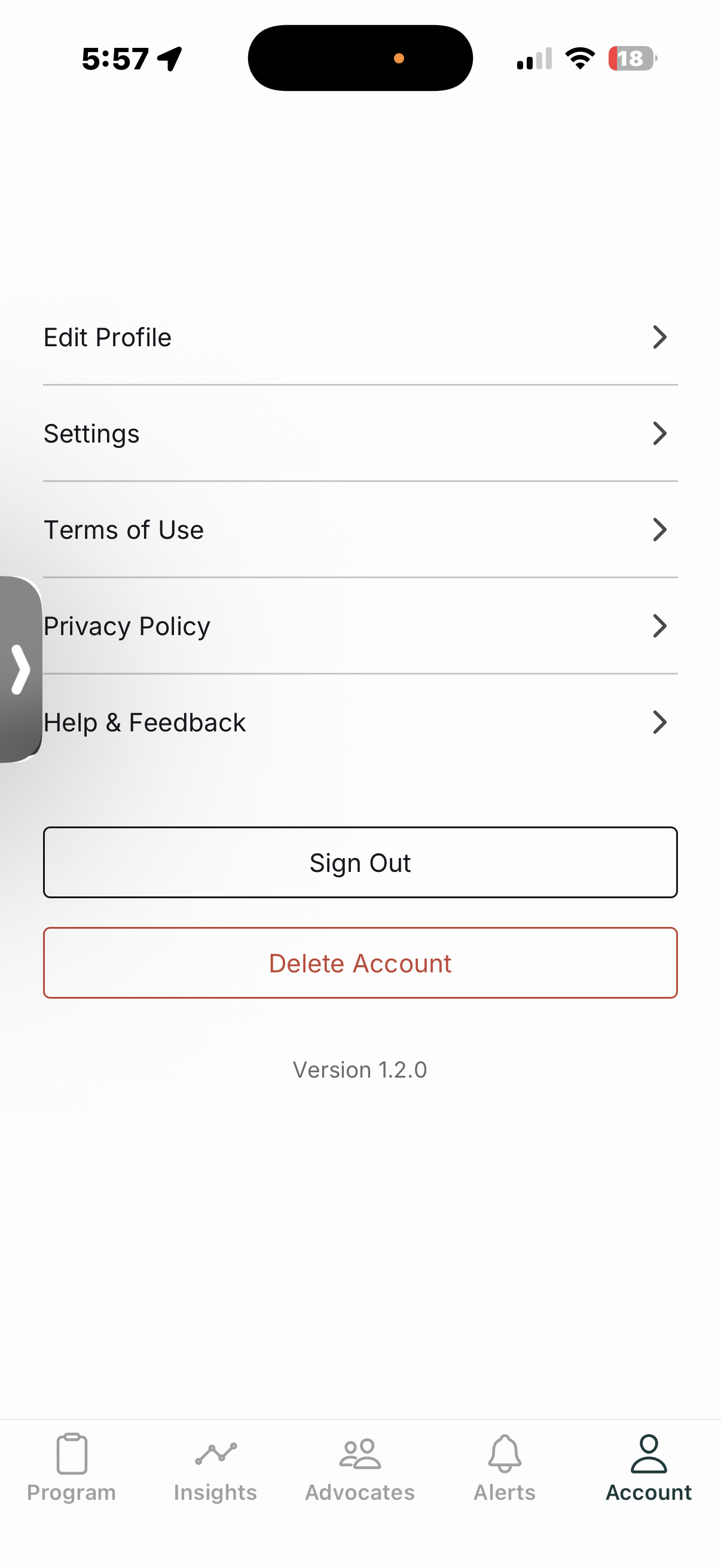
How To Delete Your Invyta Account
To delete your Invyta account:
- Open the Invyta app.
- Tap Account.
- Select Delete Account.
- Follow the on-screen instructions to confirm.
Once confirmed, your account and associated data will be permanently deleted in accordance with our data retention policy.
We retain all of your data so long as you have a registered account. If you delete your account, however, Invyta deletes all your associated data, other than certain usage data, logging, and crash reporting, which is retained in perpetuity.